Are JPG and JPEG different output formats?
They are common filename extensions for the same JPEG image format.
Create a JPEG copy of a WebP image for apps or forms that require JPG. Choose the background for transparent areas.
No signup · File contents stay on this deviceJPG, PNG, WebP, AVIF or HEIC images · files stay on your device
or paste an image with Ctrl / Cmd + VUp to 30 files · 20 MiB per file · 80 MiB total
Processing happens in your browser. File contents are not uploaded. Close the tab to release active files; temporary handoffs use local browser storage. · Privacy details
Measured with the listed sample and settings; these may differ from this page’s starting preset. Timings are individual processing-function runs in the stated environment and exclude page loading. Library caches may be warm. These small-file checks do not establish performance or compatibility for every document.
| Sample | Settings | Observed output | Environment |
|---|---|---|---|
| sample-graphic.webp (1400 × 900; 16,850 bytes) ↗ | JPG; quality 88%; background #ffffff | approximately 78.5 KB; 1400 × 900 · 0.03 sec | Chrome · Apple M2 / macOS · 15 Oct 2026 · local test |
Using this tool
Before you start
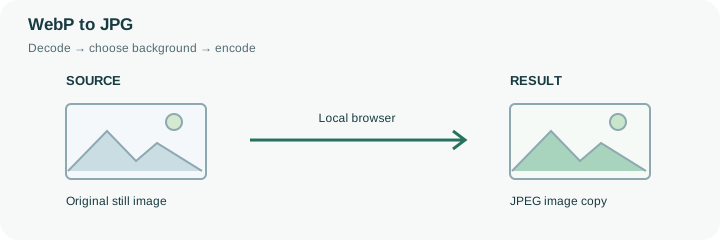
This conversion is useful when a recipient accepts JPG but rejects WebP. If the recipient already accepts WebP, conversion may add another lossy encoding step without providing a benefit.
JPG is often suitable for photographs. For a transparent logo or tiny text, PNG may be a better alternative if the receiving workflow accepts it.
This page begins with JPEG output and a white background, #FFFFFF. JPEG has no alpha channel, so any transparent part of the WebP must become an opaque color. The tool paints the background first and then draws the decoded image over it. Choosing the color before encoding prevents an unintended dark rectangle around a transparent product cutout.
Imagine a white logo with transparent surroundings. Flattening it onto white can make the logo disappear even though the conversion succeeds. Choose a contrasting background for that case, or use PNG if the destination permits transparency. For a photographic WebP that is already opaque, the background setting usually has no visible effect. Review the result at full size because JPEG encoding can soften text, add ringing around sharp edges and change an already-compressed photograph. A higher quality setting usually costs more bytes and does not repair the source. If the requirement is simply that a form accept the file, test one representative JPG before converting the whole batch.
The result is a newly encoded JPEG with the WebP’s decoded dimensions. Its background color is now part of the pixels: reopening the JPG and changing a page background cannot recover the discarded transparent area. To make another background variant, return to the WebP source rather than painting over the delivered JPEG.
Compare the exported file with the source at full size, especially around a logo, a shadow and high-contrast lettering. A JPEG can introduce additional loss even when the WebP was already lossy. The result row reports the actual bytes and output dimensions; it does not enforce a maximum attachment size. Use a target-size operation only if the destination has that additional requirement.
Common questions
They are common filename extensions for the same JPEG image format.
JPG stores opaque pixels. This page starts with a white background; choose the intended background before exporting.
No. A high encoding quality cannot reconstruct detail already lost from the source.
Its contents are decoded and encoded in this browser. The website and any required decoder files load normally, but your chosen image is not uploaded to a conversion API. Initial preparation can require an internet connection.
Yes. After conversion, use the next-step actions to pass successful result files to another compatible tool through temporary local browser storage. Download a copy if you need a lasting artifact.