Will every input appear in the ZIP?
Only successful results are available for download. Review per-file errors before assuming the batch is complete; a rejected animated or unsupported file does not gain a replacement automatically.
Convert a queue of still WebP files, apply a shared output format and filename prefix, then download individual copies or a ZIP.
No signup · File contents stay on this deviceJPG, PNG, WebP, AVIF or HEIC images · files stay on your device
or paste an image with Ctrl / Cmd + VUp to 30 files · 20 MiB per file · 80 MiB total
Processing happens in your browser. File contents are not uploaded. Close the tab to release active files; temporary handoffs use local browser storage. · Privacy details
Measured with the listed sample and settings; these may differ from this page’s starting preset. Timings are individual processing-function runs in the stated environment and exclude page loading. Library caches may be warm. These small-file checks do not establish performance or compatibility for every document.
| Sample | Settings | Observed output | Environment |
|---|---|---|---|
| sample-graphic.webp (1400 × 900; 16,850 bytes); sample-transparent.png (1600 × 1000; 43,511 bytes) ↗ | PNG; quality 88%; background transparent | approximately 73.9 KB; 1400 × 900 · 0.03 sec | approximately 80.3 KB; 1600 × 1000 · 0.02 sec | Chrome · Apple M2 / macOS · 15 Oct 2026 · local test |
Using this tool
Before you start
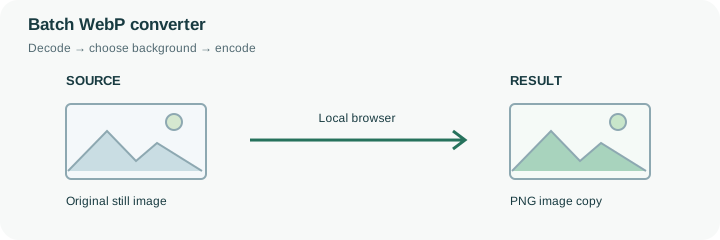
A batch may contain product photographs, transparent cutouts and interface graphics with very different encoding needs. This page starts with PNG and a transparent background so still WebP artwork can become a compatible PNG copy. The prefix webp-batch makes the shared naming rule visible before processing; change it to a meaningful project name if appropriate. Numbered outputs help distinguish files in the downloaded group.
Check one opaque photograph and one transparent graphic before accepting the entire batch. PNG may greatly increase a photograph’s size, whereas choosing JPEG would flatten the cutout. Separate runs can be more useful than forcing incompatible assets through one setting. The queue processes files sequentially to limit simultaneous decoding work, but a large batch still uses browser memory for source and result files. Review each reported failure, and do not assume the ZIP contains a replacement for every input. For another operation, hand the successful images directly to resize, compression or PDF assembly. The temporary local handoff avoids selecting the same files again; it is not a cloud archive.
The numbered output names follow the input positions. With the default prefix, an output can be named webp-batch-01.png; a failure at the next position does not prove a replacement for that file exists. Review the success count and each named failure before treating the downloaded group as a complete asset handover.
One shared output format and background apply to the queue. A transparent graphic and a photograph may therefore call for separate runs even when both can be decoded. Processing is sequential to reduce simultaneous decoder work, but successful Blobs still occupy local browser memory until released. Download the checked results and retain the input list when you need a lasting record; a ZIP or a temporary pipeline transfer is not an automatic completeness audit.
Common questions
Only successful results are available for download. Review per-file errors before assuming the batch is complete; a rejected animated or unsupported file does not gain a replacement automatically.
They can be processed together, but the same output format and background apply to the batch. Separate runs may preserve transparency or file size more appropriately.
No. The prefix affects output names. Format, quality and background control the new image bytes; numbering helps distinguish results in the group.
Its contents are decoded and encoded in this browser. The website and any required decoder files load normally, but your chosen image is not uploaded to a conversion API. Initial preparation can require an internet connection.
Yes. After conversion, use the next-step actions to pass successful result files to another compatible tool through temporary local browser storage. Download a copy if you need a lasting artifact.