Does a smaller quality number mean a fixed percentage smaller?
No. File size depends on image content, dimensions, format, and the encoder. Check the bytes of the actual output.
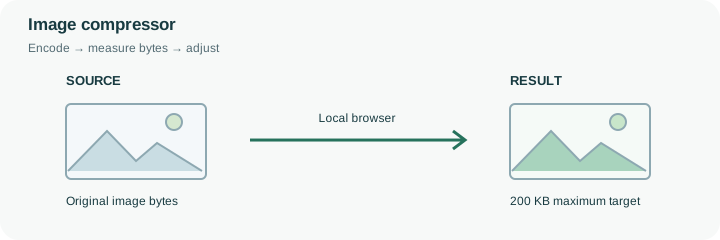
Set a maximum size in KB. The tool reduces quality and, when needed, dimensions, then checks the output size before offering a result.
No signup · File contents stay on this deviceJPG, PNG, WebP, AVIF or HEIC images · files stay on your device
or paste an image with Ctrl / Cmd + VUp to 30 files · 20 MiB per file · 80 MiB total
Processing happens in your browser. File contents are not uploaded. Close the tab to release active files; temporary handoffs use local browser storage. · Privacy details
Measured with the listed sample and settings; these may differ from this page’s starting preset. Timings are individual processing-function runs in the stated environment and exclude page loading. Library caches may be warm. These small-file checks do not establish performance or compatibility for every document.
| Sample | Settings | Observed output | Environment |
|---|---|---|---|
| sample-detail.jpg (1800 × 1200; 446,566 bytes); sample-transparent.png (1600 × 1000; 43,511 bytes) ↗ | 200 KB maximum; JPG; measured byte-size check | 201,892 bytes; 1800 × 1200 · 0.14 sec | 96,541 bytes; 1600 × 1000 · 0.02 sec | Chrome · Apple M2 / macOS · 15 Oct 2026 · local test |
Using this tool
Before you start
A form might require both a maximum file size and a minimum width. This tool checks the byte limit and may lower dimensions to reach it. Compare the resulting width and height with the form’s requirements; file size alone does not establish acceptance.
Examine fine text, hair, gradients, and the edge of a logo. A file that meets the byte limit but loses necessary information is not a successful replacement.
A submission form might require an image below 100 KB and at least 600 pixels wide. Meeting only one condition is insufficient. This compressor searches for an encoded copy within the chosen byte budget, and it may reduce dimensions when lowering JPEG or WebP quality is not enough. It does not know the recipient’s minimum pixel dimensions or whether a photographed reference number is still readable.
Start with the best original, enter the required size, and read the dimensions reported with the output. Inspect small type, faces, thin lines and gradients in the preview or downloaded file. If these become unsuitable, raise the budget if permitted or create a simpler source image. An already-small source may not benefit from re-encoding. The displayed KB target uses 1024 bytes per KB: a form that means 100,000 bytes requires a target below 97.66 here, so 97 KB leaves a small margin. Keep the original and compare the receiving system’s exact byte rule before submitting.
The quality search measures actual encoded Blobs rather than estimating bytes from a slider. If a quality reduction is insufficient, the engine draws smaller dimensions from the decoded source and repeats the search. It does not repeatedly decode the previous lossy result, and it does not enforce a recipient’s minimum width.
A passing row means the encoded file is within the selected cap under the tool’s 1024-byte KB convention. It does not establish that text is readable or an upload form accepts that format. PNG follows a different path because its canvas encoder does not use a lossy quality parameter; this implementation does not perform palette quantization. Compare the reported dimensions and bytes with the full receiving specification before sharing the result.
Common questions
No. File size depends on image content, dimensions, format, and the encoder. Check the bytes of the actual output.
The tool checks against your chosen maximum, not a promised percentage reduction. A source already under that maximum may not benefit from re-encoding.
This compressor does not enforce a minimum width. It may reduce dimensions, so inspect the output. If the destination requires a larger image than the tool can keep under its byte limit, do not use that result.
No. Encoding and byte checks run in the browser. Page resources still load from the website. Keep sensitive source files on a trusted device and inspect the output before sharing it.
No. Forms can also restrict format, minimum dimensions, content and decimal byte limits. Compare the reported bytes and dimensions with every requirement before uploading the finished copy there.