Does the quality slider make PNG lossy?
The browser PNG encoder does not respond like JPEG to a quality parameter. This workflow may reduce dimensions to reach the byte target; it does not perform palette quantization.
Keep PNG output and transparency while targeting a file-size limit. The browser reduces pixel dimensions when PNG encoding cannot meet the target.
No signup · File contents stay on this deviceJPG, PNG, WebP, AVIF or HEIC images · files stay on your device
or paste an image with Ctrl / Cmd + VUp to 30 files · 20 MiB per file · 80 MiB total
Processing happens in your browser. File contents are not uploaded. Close the tab to release active files; temporary handoffs use local browser storage. · Privacy details
Measured with the listed sample and settings; these may differ from this page’s starting preset. Timings are individual processing-function runs in the stated environment and exclude page loading. Library caches may be warm. These small-file checks do not establish performance or compatibility for every document.
| Sample | Settings | Observed output | Environment |
|---|---|---|---|
| sample-transparent.png (1600 × 1000; 43,511 bytes) ↗ | 200 KB maximum; PNG; measured byte-size check | 82,244 bytes; 1600 × 1000 · 0.07 sec | Chrome · Apple M2 / macOS · 15 Oct 2026 · local test |
Using this tool
Before you start
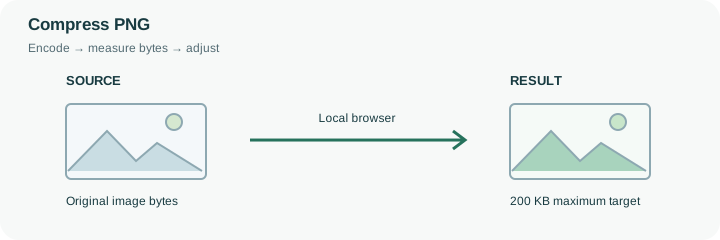
A browser canvas does not expose PNG compression as a JPEG-like quality scale. PNG encoding preserves the rendered pixels at a given size, so this tool can need fewer pixels to reach a tight target. It does not perform a palette-quantization pass or promise a lossless percentage reduction. A smaller PNG from this workflow can therefore have reduced width and height even though the format remains PNG.
This page starts with transparent PNG output and a 200 KB budget. That is useful when the receiving form requires PNG or when a graphic needs an alpha channel. For a dense screenshot, inspect the smallest letters after the dimension reduction. For a product cutout, view its edges on a contrasting background. If exact dimensions are mandatory and the file cannot meet the byte cap at those dimensions, this result is unsuitable regardless of its successful size check. Consider a different source or an accepted alternative format rather than assuming the quality slider will solve PNG size. The original PNG remains the appropriate master when its exact pixel grid must be preserved.
For PNG output, a quality value is not a control over the canvas encoder’s lossless pixel encoding. The engine measures the PNG at the current dimensions and reduces the canvas if it remains over the selected budget. That can make a screenshot smaller in bytes by changing the pixel grid, not by finding a guaranteed lossless optimization of the original file.
Inspect the output dimensions before checking its appearance. Thin rules, tiny labels and partially transparent edges can become less useful after resampling. The preset’s transparent background preserves supported alpha rather than flattening it deliberately onto white. If exact pixels and a tighter cap are both mandatory, do not accept a smaller-dimensional result as equivalent. Keep the original PNG or choose another allowed delivery format.
Common questions
The browser PNG encoder does not respond like JPEG to a quality parameter. This workflow may reduce dimensions to reach the byte target; it does not perform palette quantization.
Yes. This preset selects PNG with a transparent background. Check partially transparent edges after resizing and re-encoding.
No. A smaller canvas changes the pixel grid. If exact dimensions and pixels are mandatory, do not use a result that required dimensional reduction.
No. Encoding and byte checks run in the browser. Page resources still load from the website. Keep sensitive source files on a trusted device and inspect the output before sharing it.
No. Forms can also restrict format, minimum dimensions, content and decimal byte limits. Compare the reported bytes and dimensions with every requirement before uploading the finished copy there.