Is the output always exactly 50 KB?
No. Encoders produce different sizes for different content. A successful result is at or below the chosen byte limit; an unsuccessful attempt reports an error.
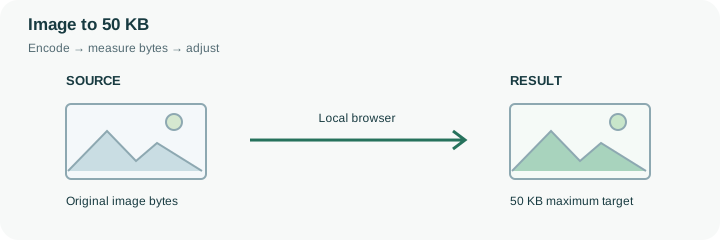
Start with a 50 KB maximum. Quality and dimensions can decrease; the tool checks the result’s bytes before offering a download.
No signup · File contents stay on this deviceJPG, PNG, WebP, AVIF or HEIC images · files stay on your device
or paste an image with Ctrl / Cmd + VUp to 30 files · 20 MiB per file · 80 MiB total
Processing happens in your browser. File contents are not uploaded. Close the tab to release active files; temporary handoffs use local browser storage. · Privacy details
Measured with the listed sample and settings; these may differ from this page’s starting preset. Timings are individual processing-function runs in the stated environment and exclude page loading. Library caches may be warm. These small-file checks do not establish performance or compatibility for every document.
| Sample | Settings | Observed output | Environment |
|---|---|---|---|
| sample-detail.jpg (1800 × 1200; 446,566 bytes); sample-transparent.png (1600 × 1000; 43,511 bytes) ↗ | 50 KB maximum; JPG; measured byte-size check | 48,801 bytes; 1800 × 1200 · 0.11 sec | 50,637 bytes; 1600 × 1000 · 0.07 sec | Chrome · Apple M2 / macOS · 15 Oct 2026 · local test |
Using this tool
Before you start
A tight upload limit leaves little room for detail. Start with the dimensions the form actually requires.
A small profile picture may fit; a photographed full page may become unreadable.
A 50 KB budget leaves little room for a detailed photograph. This preset starts with JPEG output and a maximum of 51,200 bytes because the control uses 1024 bytes per KB. A recipient using a decimal 50,000-byte limit is stricter; enter 48 KB to leave a practical margin. Always inspect the result’s actual bytes rather than treating the label as a universal convention.
The tool first tries encoding quality values and can then reduce dimensions. A small portrait might remain useful, while a full-page photographed certificate may lose readable lettering. The compressor does not certify identity photos or validate a government submission. Check the required dimensions, background and legibility yourself against the receiving form. If the output is too small in pixels, start with a tighter crop created in an appropriate editor or reconsider whether this source can satisfy both constraints. Keep the uncompressed original. A successful byte check means only that the new file is within this tool’s selected size cap.
The default 50 KB target allows at most 51,200 bytes here. That budget is applied to each successful image, not shared across a batch or the downloaded ZIP. A 48 KB setting permits 49,152 bytes and can leave a margin for a recipient using a decimal 50,000-byte cap. The result’s measured bytes remain the final check.
The search may need substantial dimensional reduction for a complex photograph. Compare the output width and height with any mandatory minimum, then read the smallest relevant detail at full size. If those checks fail, a successful byte result is still unsuitable. Return to a better prepared source or an allowed higher budget rather than repeatedly recompressing the same degraded copy.
Common questions
No. Encoders produce different sizes for different content. A successful result is at or below the chosen byte limit; an unsuccessful attempt reports an error.
Do not submit a result that violates the destination’s minimum dimensions. This tool may shrink the image to meet the byte limit. Try another accepted format, a cleaner source, or a different limit if the destination permits it.
This tool uses 1 KB = 1,024 bytes. Some forms use 1,000 bytes per KB or round differently. Choose a slightly lower target if needed and use the destination’s validation as the final check.
No. Encoding and byte checks run in the browser. Page resources still load from the website. Keep sensitive source files on a trusted device and inspect the output before sharing it.
No. Forms can also restrict format, minimum dimensions, content and decimal byte limits. Compare the reported bytes and dimensions with every requirement before uploading the finished copy there.