What happens when my browser cannot decode AVIF?
The conversion cannot proceed for that file. Try a current AVIF-capable browser or export through an application that opens it; the tool does not silently send it to a remote fallback.
Create a JPG version of an AVIF image when your current browser can decode it. Keep the original and review the replacement.
No signup · File contents stay on this deviceJPG, PNG, WebP, AVIF or HEIC images · files stay on your device
or paste an image with Ctrl / Cmd + VUp to 30 files · 20 MiB per file · 80 MiB total
Processing happens in your browser. File contents are not uploaded. Close the tab to release active files; temporary handoffs use local browser storage. · Privacy details
Measured with the listed sample and settings; these may differ from this page’s starting preset. Timings are individual processing-function runs in the stated environment and exclude page loading. Library caches may be warm. These small-file checks do not establish performance or compatibility for every document.
| Sample | Settings | Observed output | Environment |
|---|---|---|---|
| sample-product.avif (320 × 200; 3,568 bytes) ↗ | JPG; quality 88%; background #ffffff | approximately 10.5 KB; 320 × 200 · 0.02 sec | Chrome · Apple M2 / macOS · 15 Oct 2026 · local test |
Using this tool
Before you start
Keep AVIF for destinations that support it if its quality and size are already appropriate. A format change is useful when it solves a specific opening or upload requirement.
Bright highlights and color gradients can change when an AVIF source is rendered to a conventional output image. A recognizable preview is not a guarantee of identical color reproduction.
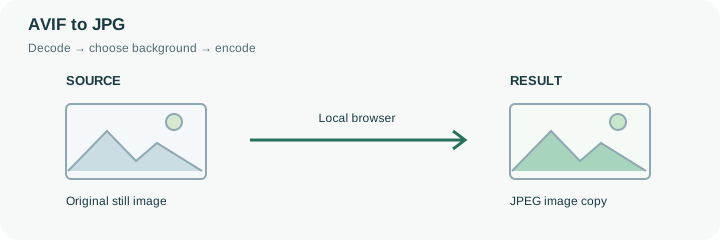
An AVIF image saved from a website may work in a current browser while a desktop application or attachment form rejects it. This page uses the browser’s available AVIF decoding support to paint a still image and save a JPEG copy. It starts with a white background because JPEG cannot represent transparent pixels. A browser that cannot decode the particular AVIF cannot complete this operation merely by changing the extension.
Try the small sample first if you are unsure about the current browser. Then inspect the actual source conversion for orientation, color and any transparent edges. AVIF can represent capabilities that an ordinary JPEG copy does not retain, including different color or dynamic-range characteristics. Treat the result as a compatibility copy for the receiving application, not as a replacement archive. Keep AVIF when the destination already supports it and there is no other reason to convert. For a sharp transparent logo, PNG may be the more appropriate target; for a required maximum attachment size, use the compressor after checking the JPEG appearance.
This conversion depends on native AVIF decoding in the browser being used. The tool checks the container before decoding and rejects detected animated or multi-image sources; it does not select an arbitrary frame and present it as a complete conversion. A current browser can still reject a damaged file or an unsupported AVIF profile.
After successful decoding, the canvas encoder writes an ordinary JPEG using the selected background and quality. The operation retains the decoded dimensions without making an HDR or color-management fidelity promise. If exact color is important, compare the JPEG in the application where it will actually be used. Preserve the AVIF source so another exporter can be tried if its appearance or compatibility is unsuitable.
Common questions
The conversion cannot proceed for that file. Try a current AVIF-capable browser or export through an application that opens it; the tool does not silently send it to a remote fallback.
No. The available output formats are JPG, PNG, and WebP, not AVIF.
AVIF and JPEG use different encoding methods. Converting for compatibility does not guarantee a size reduction.
Its contents are decoded and encoded in this browser. The website and any required decoder files load normally, but your chosen image is not uploaded to a conversion API. Initial preparation can require an internet connection.
Yes. After conversion, use the next-step actions to pass successful result files to another compatible tool through temporary local browser storage. Download a copy if you need a lasting artifact.