Can this turn a Live Photo into a moving JPG?
No. The result is a still image; it does not package the accompanying motion or depth information.
Make a JPG copy of a supported HEIC or HEIF photo for a recipient that cannot open the original. Review orientation and color after conversion.
No signup · File contents stay on this deviceJPG, PNG, WebP, AVIF or HEIC images · files stay on your device
or paste an image with Ctrl / Cmd + VUp to 30 files · 20 MiB per file · 80 MiB total
Processing happens in your browser. File contents are not uploaded. Close the tab to release active files; temporary handoffs use local browser storage. · Privacy details
Measured with the listed sample and settings; these may differ from this page’s starting preset. Timings are individual processing-function runs in the stated environment and exclude page loading. Library caches may be warm. These small-file checks do not establish performance or compatibility for every document.
| Sample | Settings | Observed output | Environment |
|---|---|---|---|
| sample-photo.heic (1800 × 1200; 311,248 bytes) ↗ | JPG; quality 90%; background #ffffff | approximately 350.6 KB; 1800 × 1200 · 0.49 sec | Chrome · Apple M2 / macOS · 15 Oct 2026 · local test |
Using this tool
Before you start
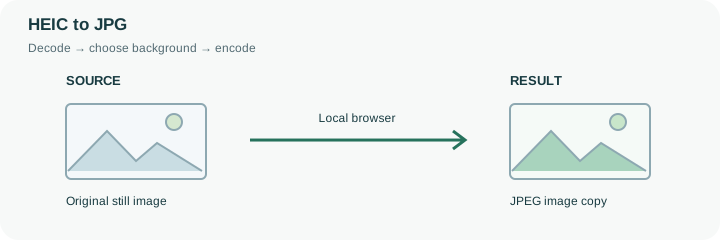
JPG is a practical delivery format when a form or older application rejects HEIC. Keep the original if you need its editing flexibility or camera-specific information.
Test a representative photo from your own device. Bursts, unusual containers, and different encoders can behave differently.
HEIC is a container format, and two files ending in .heic can contain different features. A supported still image can be decoded locally and exported as JPEG for a recipient that cannot open the original. The first conversion can take longer because the local decoder must be loaded. This implementation uses the CSP-compatible heic-to build when the browser cannot decode the photo directly; it does not send the picture to a conversion API.
Use one ordinary still photo to confirm compatibility before selecting a larger batch. Check orientation, skin tones, bright highlights and shadow detail in the exported JPG. A JPEG does not carry the complete Live Photo experience, depth information or every item inside a multi-image container. It is also not a promise of identical HDR presentation. Preserve the original HEIC when these properties matter. If a supported photo is too large for a form, convert first and then set a measured byte target in the compressor rather than repeatedly exporting at guessed quality levels.
A HEIC run first attempts native browser decoding and can then load the local HEIC decoder. That preparation is a download of program code, not an upload of your photograph. The decoder has a bounded waiting time. A timeout or unsupported-container message means no compatible JPEG was produced for that input; selecting a different extension cannot repair it.
If decoding fails, try a smaller ordinary still photo or export JPEG from the device that created the original. Keep any successful results from other files separate from the failed input. The new JPEG is made from the decoded pixels and does not retain all camera-specific fields or auxiliary image features. Check the actual photograph, not only the supplied compatibility sample.
Common questions
No. The result is a still image; it does not package the accompanying motion or depth information.
The source can include color and HDR information that the decoded, re-encoded copy does not retain. Inspect the output on the intended device.
Keep the original and export a JPG or PNG from an application that can open that particular file. Repeatedly changing its extension will not help.
Its contents are decoded and encoded in this browser. The website and any required decoder files load normally, but your chosen image is not uploaded to a conversion API. Initial preparation can require an internet connection.
Yes. After conversion, use the next-step actions to pass successful result files to another compatible tool through temporary local browser storage. Download a copy if you need a lasting artifact.