Will all outputs have the same visible product size?
The outer canvas can match, but object size depends on source proportions and composition. This tool does not detect subjects or normalize photographic framing.
Give a batch of images the same 1200 × 1200 canvas with white padding, preserve complete pictures, and apply a shared filename prefix.
No signup · File contents stay on this deviceJPG, PNG, WebP, AVIF or HEIC images · files stay on your device
or paste an image with Ctrl / Cmd + VUp to 30 files · 20 MiB per file · 80 MiB total
Processing happens in your browser. File contents are not uploaded. Close the tab to release active files; temporary handoffs use local browser storage. · Privacy details
Measured with the listed sample and settings; these may differ from this page’s starting preset. Timings are individual processing-function runs in the stated environment and exclude page loading. Library caches may be warm. These small-file checks do not establish performance or compatibility for every document.
| Sample | Settings | Observed output | Environment |
|---|---|---|---|
| sample-detail.jpg (1800 × 1200; 446,566 bytes); sample-transparent.png (1600 × 1000; 43,511 bytes) ↗ | 1200 × 1200 px; contain; JPG; no enlargement | approximately 129.4 KB; 1200 × 1200 · 0.04 sec | approximately 67.2 KB; 1200 × 1200 · 0.03 sec | Chrome · Apple M2 / macOS · 15 Oct 2026 · local test |
Using this tool
Before you start
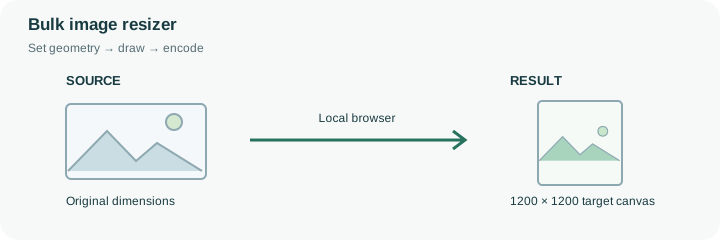
Suppose a batch contains a wide shoe photograph, a tall bottle and a square accessory image. The default 1200 × 1200 canvas with Fit inside keeps each complete object visible and fills unused space with white. The objects can occupy different proportions of the square because their source ratios differ. This is deliberate containment, not automatic subject detection or a guarantee of equal visual product scale.
Review the smallest original as well as the largest. No-upscale keeps a small image from being enlarged, which can leave more padding around it. If the product needs to appear larger, use a better original or explicitly allow enlargement with its quality trade-off. The shared prefix resized generates consistently named outputs, but filenames are not a product database mapping; keep enough context to match each output with its original. Inspect portrait and landscape examples before downloading the batch ZIP. When all images instead need half their original dimensions, use percentage resizing. The fixed-canvas workflow is intended for a consistent outer frame, while percentage mode preserves each image’s own geometry.
All selected pictures receive the same canvas and fit settings, but the foreground’s occupied area depends on each source ratio. Equal outer dimensions therefore do not mean every product is shown at equal scale. There is no subject detector or automatic removal of existing borders in the source pictures.
The default resized prefix makes numbered outputs easy to group. Check the original filename shown with each result before replacing an inventory asset, especially when a queue reports a failure. A missing output must not be interpreted as an intentionally removed product. Review a portrait, landscape and small source before downloading the whole batch. The ZIP contains the successful new images; it is not a mapping of product identifiers or an edit to your original files.
Common questions
The outer canvas can match, but object size depends on source proportions and composition. This tool does not detect subjects or normalize photographic framing.
Different image ratios and small sources create different margins when Fit inside preserves the complete foreground and no-upscale prevents enlargement.
Yes. Review each file first, including any reported failures, then use the group download. Keep the original selection for reference.
No. The browser calculates the geometry and creates the output locally. The page itself still loads from the website, and source or output size can exceed the browser’s practical memory limits.
Yes. A next-step action can transfer the successful result through temporary local browser storage. Verify the final dimensions afterward because target-size compression can reduce them further.