Does the PDF preserve WebP transparency?
No. Images are decoded and re-encoded as JPEG on an opaque page background. Keep the source when its transparent pixels matter.
Place supported still WebP images into a PDF in your browser. Start with image-sized pages and review white backgrounds and page order.
No signup · File contents stay on this deviceStill JPG, PNG or WebP images · files stay on your device
or paste an image with Ctrl / Cmd + VUp to 20 files · 25 MiB per file · 80 MiB total
Processing happens in your browser. File contents are not uploaded. Close the tab to release active files; temporary handoffs use local browser storage. · Privacy details
Measured with the listed sample and settings; these may differ from this page’s starting preset. Timings are individual processing-function runs in the stated environment and exclude page loading. Library caches may be warm. These small-file checks do not establish performance or compatibility for every document.
| Sample | Settings | Observed output | Environment |
|---|---|---|---|
| sample-graphic.webp (1400 × 900; 16,850 bytes) ↗ | ORIGINAL; 1 image(s)/page; 18 pt margins; 5 MB target | approximately 79.3 KB; 0.05 sec; 1 PDF pages | Chrome · Apple M2 / macOS · 15 Oct 2026 · local test |
Using this tool
Before you start
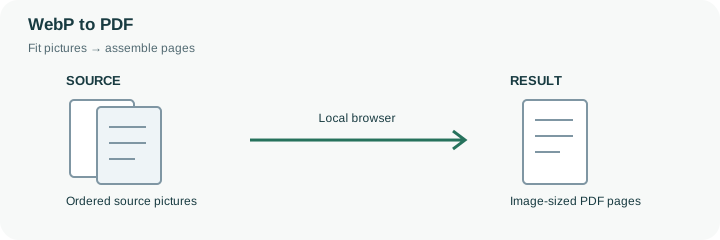
A supported still WebP can be placed on a PDF page for a handover that expects one document rather than separate image attachments. This preset starts with Match image pages, so different source ratios can produce different PDF page sizes. The page is derived from the image dimensions at 96 pixels per inch with an 18-point margin; it does not recover print-size metadata from the WebP.
The engine decodes the picture and embeds a JPEG copy on an opaque background. A transparent WebP therefore does not remain a transparent object in the output PDF. Check white lettering, cutout edges and small labels after export. Choose A4 or Letter if the document must use a consistent paper size, and arrange the image order before building it. Animated WebP is not a supported source for this image-document workflow. A PDF wrapper also does not turn image text into searchable words or provide OCR. Keep the original WebP for editing or transparent use, and inspect every page of the PDF as a separate delivery artifact.
Match image derives a page from the decoded picture at 96 pixels per inch and then adds 18-point margins. A 960-pixel-wide source therefore gives a 720-point image area before margins, not a promise that its original print-resolution metadata was recovered. This arithmetic explains the page rule; it is not a new measured benchmark.
Each WebP becomes a JPEG picture on the selected background inside the PDF. Supported transparency is flattened, and animated WebP is rejected rather than represented by an arbitrary still. Check all mixed-orientation page sizes in the downloaded document. If the recipient expects a printable packet, choose a consistent A4 or Letter layout instead of assuming that Match image means standard paper.
Common questions
No. Images are decoded and re-encoded as JPEG on an opaque page background. Keep the source when its transparent pixels matter.
Match image is selected initially. Each page is derived from its source dimensions with margins. Choose A4 or Letter for a consistent paper size.
No. This workflow accepts supported still images. Export the intended still frame with an appropriate tool first.
No. The local browser loads the PDF library and assembles the selected image files on this device. The website does not receive their contents for conversion.
Keep them when future edits, original quality or metadata matter. The PDF is a new image document with its own encoding and layout; it is not an unchanged container for the original file bytes.