Why are four pictures placed on a page?
This preset opens with a four-image A4 contact sheet. Choose one image per page when text, receipts or small details need more space.
Arrange a small photo set in one PDF. Start with a four-image A4 contact sheet, or switch to one image per page for readable documents.
No signup · File contents stay on this deviceStill JPG, PNG or WebP images · files stay on your device
or paste an image with Ctrl / Cmd + VUp to 20 files · 25 MiB per file · 80 MiB total
Processing happens in your browser. File contents are not uploaded. Close the tab to release active files; temporary handoffs use local browser storage. · Privacy details
Measured with the listed sample and settings; these may differ from this page’s starting preset. Timings are individual processing-function runs in the stated environment and exclude page loading. Library caches may be warm. These small-file checks do not establish performance or compatibility for every document.
| Sample | Settings | Observed output | Environment |
|---|---|---|---|
| sample-detail.jpg (1800 × 1200; 446,566 bytes); sample-transparent.png (1600 × 1000; 43,511 bytes) ↗ | A4; 4 image(s)/page; 18 pt margins; 5 MB target | approximately 419.0 KB; 0.07 sec; 1 PDF pages | Chrome · Apple M2 / macOS · 15 Oct 2026 · local test |
Using this tool
Before you start
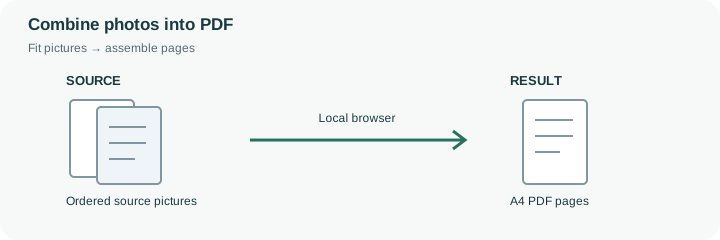
This page begins with four images per A4 sheet, which is useful for browsing a collection of photos together. The selection order determines their placement, and the final sheet can contain fewer than four images. A contact sheet is compact for review, but it is often unsuitable for receipt totals, small labels or a photographed document that must be read closely. Switch to one image per page for those tasks.
Arrange a story or inspection sequence before creating the PDF: overview first, then detail views, with related images next to one another. This tool does not add captions, detect duplicates or infer the intended chronology from metadata. Check the file list yourself and choose a meaningful output name. After download, inspect the sheet boundaries and confirm that no photo appears twice while another is missing. Image dimensions and page layout affect readability independently of the overall file-size target. The pictures are re-encoded as JPEG, so keep originals for any later editing. If a recipient needs individual images instead, a PDF contact sheet should accompany rather than replace those source files.
With the default four-image A4 layout, five selected pictures produce two sheets: four pictures on the first and one on the second. The engine follows the explicit file sequence rather than sorting by capture date or choosing a layout based on subject matter. It does not add explanatory captions to those positions.
Review both the page break and the unused space on the last sheet. A contact sheet helps a recipient browse a photo set, but fitting several photographed documents onto one page can make critical text unreadable. Switch to one image per page for detailed records. The PDF embeds new JPEG copies with the chosen background; retain individual originals if someone will later need to edit or reuse the full-resolution photographs.
Common questions
This preset opens with a four-image A4 contact sheet. Choose one image per page when text, receipts or small details need more space.
No. Review and set the file order yourself. The selected order determines placement; source metadata is not used as a reliable chronology.
This tool assembles image pages and does not add editable captions or OCR. Prepare any necessary labels in the source images or a document editor.
No. The local browser loads the PDF library and assembles the selected image files on this device. The website does not receive their contents for conversion.
Keep them when future edits, original quality or metadata matter. The PDF is a new image document with its own encoding and layout; it is not an unchanged container for the original file bytes.