What are the A4 margins?
The engine uses an 18-point margin on each side, approximately 6.35 millimeters. Additional whitespace can remain when image and page proportions differ.
Create portrait A4 pages with fixed 18-point margins and one image per page, keeping the complete picture inside the printable area.
No signup · File contents stay on this deviceStill JPG, PNG or WebP images · files stay on your device
or paste an image with Ctrl / Cmd + VUp to 20 files · 25 MiB per file · 80 MiB total
Processing happens in your browser. File contents are not uploaded. Close the tab to release active files; temporary handoffs use local browser storage. · Privacy details
Measured with the listed sample and settings; these may differ from this page’s starting preset. Timings are individual processing-function runs in the stated environment and exclude page loading. Library caches may be warm. These small-file checks do not establish performance or compatibility for every document.
| Sample | Settings | Observed output | Environment |
|---|---|---|---|
| sample-detail.jpg (1800 × 1200; 446,566 bytes); sample-transparent.png (1600 × 1000; 43,511 bytes) ↗ | A4; 1 image(s)/page; 18 pt margins; 0 MB target | 429,232 bytes; 0.08 sec; 2 PDF pages | Chrome · Apple M2 / macOS · 15 Oct 2026 · local test |
Using this tool
Before you start
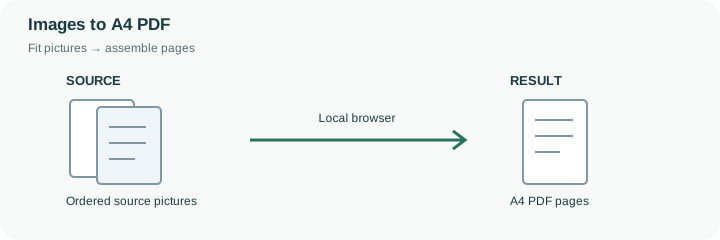
A4 is 210 × 297 millimeters. This preset starts with one image on each portrait A4 page and an 18-point margin on every side, approximately 6.35 millimeters. The image is fitted inside that space without cropping, so its proportions determine whether additional blank space remains above, below or beside it. An exact paper size does not imply that the photograph itself will fill the sheet.
The overall PDF byte target starts disabled for this preset. That avoids asking the size-search loop to reduce the document to a particular cap, but the engine still re-encodes images as JPEG and limits their longest edge. It is not an original-byte archival embedding mode. If the PDF is intended for printing, reopen it and inspect the page dimensions and smallest text. Printer margins and print-dialog scaling can further change the physical result, so use the appropriate actual-size or fit setting for the final printer. If a form later adds a maximum upload size, set a target and review the new document again; retaining A4 page dimensions does not ensure the pictures inside remain equally detailed.
The A4 canvas is a fixed 210 × 297 millimeter page with 18-point margins. A landscape image is contained inside that portrait space rather than automatically rotated, cropped or split into several sheets. Blank space depends on the source ratio, and a long screenshot may become too small to read even though the page has the requested paper dimensions.
This preset disables the overall byte target, so it skips attempts to meet a chosen document cap. Images still pass through the longest-edge limit and JPEG encoder. Check the PDF’s reported page size and visible detail before printing, then review print-dialog scaling on the actual printer. A4 geometry alone does not establish original quality, legible output or a particular file size.
Common questions
The engine uses an 18-point margin on each side, approximately 6.35 millimeters. Additional whitespace can remain when image and page proportions differ.
No. Images are still decoded, fitted and embedded as JPEG with an edge limit. Disabling the target only avoids the overall byte-budget search.
No. Each image is fitted to its assigned page area. Prepare separate source sections when a tall screenshot would become unreadably small.
No. The local browser loads the PDF library and assembles the selected image files on this device. The website does not receive their contents for conversion.
Keep them when future edits, original quality or metadata matter. The PDF is a new image document with its own encoding and layout; it is not an unchanged container for the original file bytes.