Is PNG suitable for a screenshot PDF?
PNG is a useful screenshot input, but this tool re-encodes it as JPEG when creating the PDF. This is not lossless PNG embedding. Inspect small labels and thin lines in the final PDF.
Place PNG screenshots or artwork into a PDF. Images are re-encoded as JPEG on a white background, so inspect small text and transparent areas.
No signup · File contents stay on this deviceStill JPG, PNG or WebP images · files stay on your device
or paste an image with Ctrl / Cmd + VUp to 20 files · 25 MiB per file · 80 MiB total
Processing happens in your browser. File contents are not uploaded. Close the tab to release active files; temporary handoffs use local browser storage. · Privacy details
Measured with the listed sample and settings; these may differ from this page’s starting preset. Timings are individual processing-function runs in the stated environment and exclude page loading. Library caches may be warm. These small-file checks do not establish performance or compatibility for every document.
| Sample | Settings | Observed output | Environment |
|---|---|---|---|
| sample-transparent.png (1600 × 1000; 43,511 bytes) ↗ | A4; 1 image(s)/page; 18 pt margins; 5 MB target | approximately 95.1 KB; 0.04 sec; 1 PDF pages | Chrome · Apple M2 / macOS · 15 Oct 2026 · local test |
Using this tool
Before you start
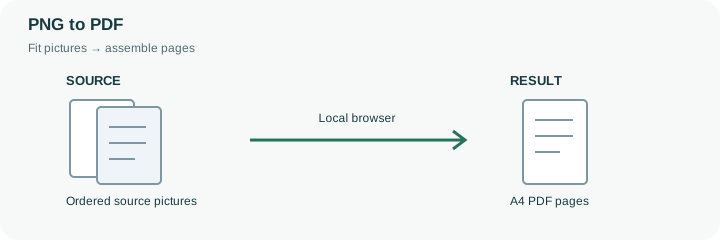
Use a page layout that lets the recipient read the smallest labels. A long screenshot squeezed onto a single sheet may need a different source crop or layout.
Transparent PNG pixels are flattened onto the selected opaque background, white by default, before JPEG encoding. Check light-colored artwork that may disappear against that background, and retain the PNG original when its alpha channel or exact pixels matter.
A PNG screenshot often contains dense interface text and sharp lines. Putting it into a PDF makes it convenient to share as a document, but this image-to-PDF engine re-encodes pictures as JPEG rather than embedding the original PNG bytes. That can change fine text and removes PNG transparency by flattening it onto the page background. Keep the PNG source when exact pixel fidelity or an alpha channel matters.
A tall screenshot squeezed onto one A4 sheet can become difficult to read. Consider preparing shorter source sections or using Match image pages when fixed paper dimensions are not required. This tool does not automatically split a long screenshot into several readable pages. For a collection of interface states, arrange screenshots in the order a reader should follow and use one per page when labels matter. After download, zoom into the smallest text and check light-colored artwork against the white background. The PDF is an image document: OCR, selectable text and accessibility reading order are not created by this conversion.
The PNG file is decoded before the PDF is made. The engine draws it on the selected opaque background, white by default, and embeds a JPEG version. Even when the source PNG had exact text pixels and an alpha channel, those properties are not preserved as original PNG bytes inside this output.
Try one dense screenshot before assembling a larger sequence. Inspect its smallest text at a useful viewing size and check pale labels against the selected background. A generous page size or an unrestricted overall byte target does not turn this into lossless PNG embedding: the longest-edge and JPEG-encoding steps still apply. Retain the source when exact screenshot fidelity is needed, and choose a different document-authoring workflow if that fidelity is mandatory.
Common questions
PNG is a useful screenshot input, but this tool re-encodes it as JPEG when creating the PDF. This is not lossless PNG embedding. Inspect small labels and thin lines in the final PDF.
The screenshot remains an image. This tool does not add an OCR text layer.
Use one image per page for detail, or choose an available multi-image layout for a compact overview.
No. The local browser loads the PDF library and assembles the selected image files on this device. The website does not receive their contents for conversion.
Keep them when future edits, original quality or metadata matter. The PDF is a new image document with its own encoding and layout; it is not an unchanged container for the original file bytes.