All tools
Text WORKBENCH / FREE BROWSER TOOL

Compare two texts and see what changed

Compare two text versions locally, review additions and removals, and choose whether spacing differences should count.

No signup · File contents stay on this device
Text is compared on this deviceNo account, upload, or text storage

Matching lines are aligned before changes are shown. Spaces and tabs can be ignored; case and line breaks remain significant. A final newline appears as an extra empty line.

0.0 KiB
0.0 KiB

Up to 512 KiB per input; 2,000 text lines or 1,000 CSV data records and 100 columns. Inputs stay in page memory. Nothing is saved in browser storage.

Comparison happens in this browser. Text and imported file contents are not sent to a server or saved in local storage. A downloaded report contains the compared values: store and share it with the same care as your original files. Privacy details

IMAGE → DOCUMENT WORKFLOW
OBSERVED RESULTS / ORIGINAL FIXTURES

Sample checks you can repeat

Measured with the listed sample and settings; these may differ from this page’s starting preset. Timings are individual processing-function runs in the stated environment and exclude page loading. Library caches may be warm. These small-file checks do not establish performance or compatibility for every document.

SampleSettingsObserved outputEnvironment
Original synthetic text pair: 117 and 143 bytes; 5 → 6 linesLine alignment; spaces and tabs significant2 changed; 1 added; 3 unchanged. 0.3 ms.Chrome · Apple M2 / macOS · 15 Oct 2026 · local test

Specific tasks

CSV diff checkerIgnore-whitespace text compareLine-by-line text diff

Using this tool

How to use text compare

  1. Paste the earlier text on the left and the revised text on the right, or load the paired sample.
  2. Keep whitespace differences enabled for an exact line comparison, or deliberately ignore spacing if it is irrelevant to this task.
  3. Compare the versions, review changed, added and removed lines, and show unchanged lines when you need surrounding context.

Before you start

What to keep in mind

  • Each input is limited to 512 KiB of UTF-8 text. Line comparison supports up to 2,000 lines per side; a terminal newline can create a final blank line.
  • CSV comparison supports up to 1,000 data records plus a header and 100 columns. Fields, not spreadsheet formatting or formulas, are compared.
  • Case remains significant. Whitespace normalization can hide spacing edits, so choose it only when those differences are intentionally irrelevant.
  • The result is a comparison aid. It does not validate legal meaning, totals, business rules, code behavior or whether an import will succeed.
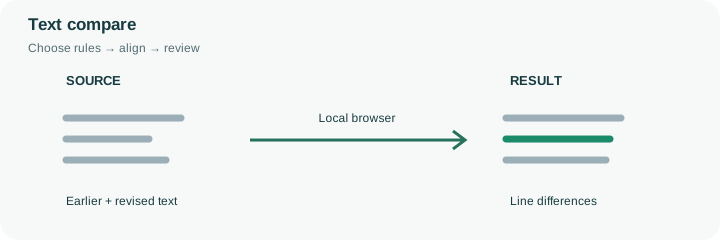
Text compare: earlier and revised inputs are aligned to show text line differences.
Illustrative text compare workflow. The drawing shows the operation, not a measured output; see the sample table for recorded test conditions.

Read a change in its surrounding context

A short revision can change a delivery date, a quantity or a sentence without changing the rest of a document. Put the earlier version on the left and the later version on the right so additions and removals have a consistent meaning. The engine aligns unchanged lines and pairs nearby removed and added lines as changes. This is a textual alignment, not an interpretation of the author’s intent.

Start with changed rows for a compact review, then show unchanged lines to check context. The sample contains a spacing-only edit, a change from draft PDF to approved PDF, and an added delivery-date reminder. With spacing comparison enabled, a changed separator or extra space can also count as a difference. Decide whether that information matters before enabling whitespace normalization. For structured comma-separated exports, use CSV mode so quoted fields and delimiters are understood as records rather than arbitrary lines. A difference report does not establish that the new text is correct; it directs attention to the places that need review. Copy important corrections back into the source application and save the edited original there.

Separate a visible difference from a verified correction

The left input represents the earlier version and the right input the revision. A removed line therefore describes text absent from the right side, while an added line describes new text there. Changing that order reverses those labels without changing the underlying material. Choose a consistent direction before sharing a difference report.

Line comparison normalizes CRLF and LF endings, aligns matching lines and groups nearby edits. It does not read word-processing formatting or decide whether a revised sentence is true. Start with the supplied pair to check the display rules, then compare your own versions under the same settings. Keep the original documents and apply accepted corrections in their source application; the report is a local review aid, not an edited replacement document.

Common questions

About text compare

Does it compare the meaning of sentences?

No. The engine compares textual lines and reports additions, removals and paired changes. A paraphrase can appear as a change even if its meaning is similar; a small numeric edit may be important despite being only one character.

Are Windows and Mac line endings treated differently?

CRLF and LF line endings are normalized for comparison. Line breaks still separate records, and a final newline can create a final blank line that is worth reviewing.

Can I compare a CSV export here?

Use CSV mode for parsed rows and cells. Plain line mode is useful for a raw-file review, but a quoted line break inside a CSV field is not a separate data record.

Is pasted text stored on the server?

No. Comparison takes place in the browser and the input is not sent to a comparison API or stored as a server document. Avoid using a shared or untrusted device for confidential material.

Does a clean result mean the revised version is correct?

No. It means no relevant differences were found under the selected rules. Both versions can share the same mistake, and ignored whitespace can hide a change you would want to review in another context.