Why do the left and right line numbers differ?
An insertion or removal shifts later positions on one side. The numbering refers to each original input, while aligned rows show the engine’s chosen correspondence.
Show unchanged lines alongside added, removed and changed lines so a small edit can be reviewed in its surrounding text.
No signup · File contents stay on this deviceMatching lines are aligned before changes are shown. Spaces and tabs can be ignored; case and line breaks remain significant. A final newline appears as an extra empty line.
Up to 512 KiB per input; 2,000 text lines or 1,000 CSV data records and 100 columns. Inputs stay in page memory. Nothing is saved in browser storage.
Comparison happens in this browser. Text and imported file contents are not sent to a server or saved in local storage. A downloaded report contains the compared values: store and share it with the same care as your original files. Privacy details
Measured with the listed sample and settings; these may differ from this page’s starting preset. Timings are individual processing-function runs in the stated environment and exclude page loading. Library caches may be warm. These small-file checks do not establish performance or compatibility for every document.
| Sample | Settings | Observed output | Environment |
|---|---|---|---|
| Original synthetic text pair: 117 and 143 bytes; 5 → 6 lines | Line alignment; spaces and tabs significant; unchanged lines shown | 2 changed; 1 added; 3 unchanged. 0.1 ms. | Chrome · Apple M2 / macOS · 15 Oct 2026 · local test |
Using this tool
Before you start
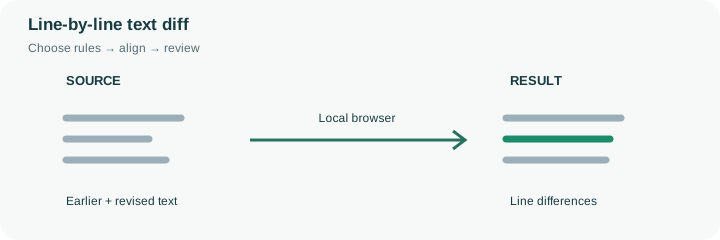
A compact difference report can hide the heading or explanation that gives a changed line its meaning. This preset shows unchanged rows by default, so a revised delivery instruction remains visible next to the project label and other surrounding details. Earlier and later line numbers can diverge after an insertion or deletion; use each side’s numbering instead of assuming the same numeric position still represents the same text.
The engine aligns matching lines using a longest-common-subsequence approach and pairs nearby additions and removals for a readable changed-line view. Several repeated identical lines can admit more than one reasonable alignment, so the displayed pairing is a review aid rather than a record of the exact editing operations someone performed. Whitespace remains significant in this preset, while CRLF and LF line endings are normalized. A final blank line can still appear as an addition or removal. Use the paired sample to see content edits and an added instruction in context. For CSV records with embedded newlines, switch to CSV mode so a multiline field is parsed as a cell instead of several unrelated text lines.
Adding one instruction near the beginning shifts later right-side line numbers without necessarily changing those later lines. This preset leaves unchanged rows visible so the alignment can be reviewed in context. The line numbers belong to their respective original text inputs, while the display rows pair corresponding material.
Repeated identical lines can admit several reasonable alignments. The engine’s chosen presentation is not a reconstruction of the editor’s actions or a version-control audit trail. Whitespace is significant in this preset, though CRLF and LF line endings are normalized. If a quoted CSV field contains an internal newline, use CSV mode so that the field is compared as part of a record instead of as unrelated physical text lines.
Common questions
An insertion or removal shifts later positions on one side. The numbering refers to each original input, while aligned rows show the engine’s chosen correspondence.
No. It aligns matching lines and groups nearby changes. Repeated lines can support different valid alignments; the report is not an audit log of editing actions.
Yes. This page starts with them visible for context, but you can switch to a compact view. That changes the presentation rather than the input text or comparison rules.
No. Comparison takes place in the browser and the input is not sent to a comparison API or stored as a server document. Avoid using a shared or untrusted device for confidential material.
No. It means no relevant differences were found under the selected rules. Both versions can share the same mistake, and ignored whitespace can hide a change you would want to review in another context.