Does ignoring whitespace remove line breaks?
No. Lines remain separate. Spaces, tabs, form feeds and vertical tabs inside a line are removed for equality checks, while line endings are normalized consistently.
Review content edits while removing spaces and tabs from line comparisons. Line breaks and character case remain significant.
No signup · File contents stay on this deviceMatching lines are aligned before changes are shown. Spaces and tabs can be ignored; case and line breaks remain significant. A final newline appears as an extra empty line.
Up to 512 KiB per input; 2,000 text lines or 1,000 CSV data records and 100 columns. Inputs stay in page memory. Nothing is saved in browser storage.
Comparison happens in this browser. Text and imported file contents are not sent to a server or saved in local storage. A downloaded report contains the compared values: store and share it with the same care as your original files. Privacy details
Measured with the listed sample and settings; these may differ from this page’s starting preset. Timings are individual processing-function runs in the stated environment and exclude page loading. Library caches may be warm. These small-file checks do not establish performance or compatibility for every document.
| Sample | Settings | Observed output | Environment |
|---|---|---|---|
| Original synthetic text pair: 117 and 143 bytes; 5 → 6 lines | Line alignment; ignore spaces and tabs | 1 changed; 1 added; 4 unchanged; 1 spacing-only difference ignored. 0.4 ms. | Chrome · Apple M2 / macOS · 15 Oct 2026 · local test |
Using this tool
Before you start
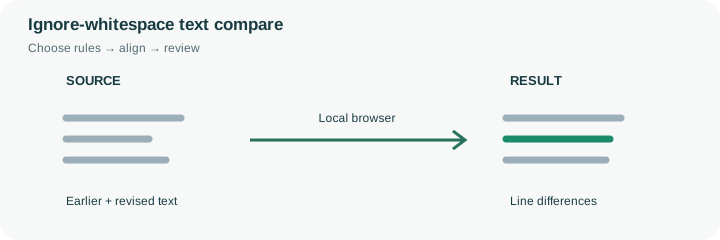
This preset removes horizontal spacing characters within each line before deciding whether the lines match. Spaces, tabs, form feeds and vertical tabs are ignored; line breaks are retained. That is useful when a copied note has inconsistent spacing but you primarily need to find a changed quantity or an added instruction. Character case, punctuation and actual letters or digits remain significant.
There is a trade-off: removing all intra-line whitespace can make ab c and a bc compare alike. It can also hide indentation or spacing that carries meaning in source code, fixed-width records, account identifiers or a deliberately aligned table. Do not use this setting as a general proof of textual equivalence. In the sample, the whitespace-only edit is suppressed while the draft-to-approved wording change and added reminder remain available for review. After checking those edits, switch normalization off if the output must preserve exact spacing. Use CSV mode for structured exports, where row matching and quoted fields matter more than visually aligning text. This preset is intended to reduce irrelevant review noise, not certify a formatted document.
Normalization removes supported horizontal spacing for line equality; it does not rewrite the input fields or merge separate lines. The text ab c and a bc can consequently compare equal in this preset while meaning different things to a person or a downstream parser. Case and punctuation still participate in comparison.
Use the preset when spacing noise would otherwise obscure a substantive edit, then turn it off for a second pass if exact formatting matters. Code indentation, fixed-width records and account identifiers are poor places to assume all horizontal spacing is irrelevant. A no-differences result describes only the selected normalization rule. It is not proof that two original documents have identical bytes, formatting or meaning.
Common questions
No. Lines remain separate. Spaces, tabs, form feeds and vertical tabs inside a line are removed for equality checks, while line endings are normalized consistently.
Yes. Word boundaries, indentation and fixed-width spacing can matter. For example, ab c and a bc normalize to the same characters. Use exact spacing comparison for those tasks.
No. Uppercase and lowercase characters remain different. This setting changes only the handling of horizontal whitespace within lines.
No. Comparison takes place in the browser and the input is not sent to a comparison API or stored as a server document. Avoid using a shared or untrusted device for confidential material.
No. It means no relevant differences were found under the selected rules. Both versions can share the same mistake, and ignored whitespace can hide a change you would want to review in another context.