Does a reordered CSV always count as changed?
With row-position matching, a reordered record can appear changed. A stable unique key column can align records independently of their order. Key values must be present and unique on each side.
Compare parsed CSV exports with comma, semicolon or tab separators. Review changed cells and optionally align records by a unique key column.
No signup · File contents stay on this deviceQuoted commas, escaped quotes, and multiline fields are supported. Rows match by position unless you enter a unique 1-based key column. Columns match by position; formulas and dates remain plain text.
Up to 512 KiB per input; 2,000 text lines or 1,000 CSV data records and 100 columns. Inputs stay in page memory. Nothing is saved in browser storage.
Comparison happens in this browser. Text and imported file contents are not sent to a server or saved in local storage. A downloaded report contains the compared values: store and share it with the same care as your original files. Privacy details
Measured with the listed sample and settings; these may differ from this page’s starting preset. Timings are individual processing-function runs in the stated environment and exclude page loading. Library caches may be warm. These small-file checks do not establish performance or compatibility for every document.
| Sample | Settings | Observed output | Environment |
|---|---|---|---|
| Original synthetic CSV pair: 154 and 185 bytes; quoted commas and multiline fields | CSV; comma delimiter; first row header; positional rows | 2 changed cells; 1 added record; 4 added cells; 0 removed records. 0.4 ms. | Chrome · Apple M2 / macOS · 15 Oct 2026 · local test |
Using this tool
Before you start
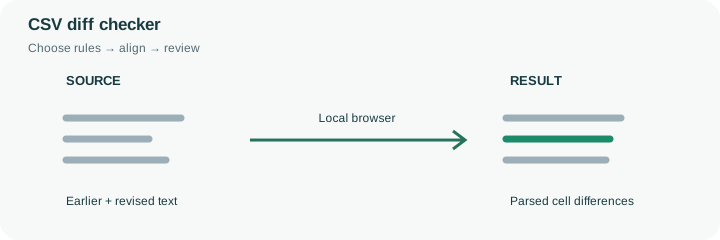
Two exports can contain the same records in a different order. Default row-position matching compares the first data record with the first, the second with the second and so on. That is useful when export order is meaningful. For an inventory table with a stable unique SKU, choose its one-based key-column number instead. A key aligns corresponding records even when their row order changes; blank or duplicate keys are rejected because they make the match ambiguous.
Column order remains significant. The tool matches fields by position rather than searching for similar header names, so rearranged columns should be understood before interpreting the report. Quoted commas and quoted multiline notes are parsed as part of a field, and escaped quotes use the doubled-quote convention. Values are compared as strings: 0012 differs from 12, and 1.00 differs from 1.0. No date inference, currency conversion or spreadsheet-formula execution occurs. Review the supplied example’s quantity and note edits, then apply the same rules to a non-sensitive export. A clean comparison does not validate totals or the destination system’s import requirements.
A key-column match uses the selected column’s text, so an identifier 0012 is different from 12. Blank or duplicate keys cannot establish an unambiguous correspondence and are rejected. Choose a stable identifier that exists in both exports; a row number regenerated by an export may not represent the same record after sorting.
The comparator does not align rearranged columns by header names. A moved quantity column can therefore produce field differences even when its displayed values appear familiar. Check the delimiter, header choice and column order before interpreting added or removed records. Both versions can share a wrong total, and a clean comparison cannot validate a future spreadsheet import. Input text remains local; formulas and numeric-looking cells are not executed or automatically converted.
Common questions
With row-position matching, a reordered record can appear changed. A stable unique key column can align records independently of their order. Key values must be present and unique on each side.
Yes. The parser supports quoted delimiters, doubled quotes and multiline quoted fields. Malformed quoting is reported rather than silently treated as a successful comparison.
No. CSV contains field values and separators, not workbook formatting. A value beginning with an equals sign is compared as text; the tool does not execute spreadsheet formulas.
No. Comparison takes place in the browser and the input is not sent to a comparison API or stored as a server document. Avoid using a shared or untrusted device for confidential material.
No. It means no relevant differences were found under the selected rules. Both versions can share the same mistake, and ignored whitespace can hide a change you would want to review in another context.