Is PNG always clearer than JPG?
PNG avoids adding lossy JPEG artifacts to the rendered page, but source quality and the chosen resolution still limit detail. Output pages have an opaque background, even though PNG as a format supports transparency.
Render selected PDF pages as PNG images for crisp text and line art. Set the output size and inspect the rendered page.
No signup · File contents stay on this devicePDF documents · files stay on your device
Up to 20 files · 25 MiB per file · 80 MiB total
Processing happens in your browser. File contents are not uploaded. Close the tab to release active files; temporary handoffs use local browser storage. · Privacy details
Measured with the listed sample and settings; these may differ from this page’s starting preset. Timings are individual processing-function runs in the stated environment and exclude page loading. Library caches may be warm. These small-file checks do not establish performance or compatibility for every document.
| Sample | Settings | Observed output | Environment |
|---|---|---|---|
| sample-document.pdf (3 pages; 2,246 bytes) ↗ | PNG; all pages; longest edge 1600 px | approximately 82.3 KB; 1131 × 1600 · 0.07 sec | approximately 83.6 KB; 1131 × 1600 · 0.10 sec | approximately 84.0 KB; 1131 × 1600 · 0.12 sec | Chrome · Apple M2 / macOS · 15 Oct 2026 · local test |
Using this tool
Before you start
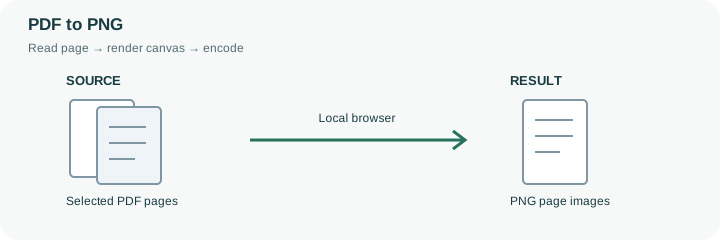
A diagram, interface screenshot, or text-heavy page can benefit from PNG. Set the longest edge between 1,200 and 4,096 pixels and check small letters after export. Larger PNG pages use more memory and storage.
Use the image as a preview or visual insert. The source PDF remains the better artifact for reading order, links, forms, and document-level verification.
PNG avoids introducing an additional JPEG-style lossy encoding step into the rendered page, which can suit line diagrams and interface documentation. The rendering resolution still matters. A low-resolution canvas cannot recover tiny text simply because its output format is lossless, and increasing the longest edge makes each page use more memory and storage. Choose a practical resolution for the actual destination.
For example, a 1600-pixel preview may suit an on-screen reference while a detailed drawing needs closer inspection at a larger setting. Render one representative page before processing a long selection. The output is a picture of the full page on an opaque background, not an extraction of its individual graphics or a transparent PDF layer. A PNG copy also loses searchable text, navigation links, form fields and document structure. Use it as a visual insert or preview while keeping the original PDF for reading and verification. If the resulting PNG is too large, reduce its display dimensions deliberately rather than relying on a JPEG quality slider that does not control PNG encoding.
PNG preserves the pixels supplied by the rendered canvas without a JPEG-style quality setting, but it cannot make that canvas independent of resolution. At the same longest edge, a page containing tiny dense text can still be unsuitable for close reading. The whole page, including its margins, occupies the selected pixel dimensions.
Start with one representative page and inspect its smallest relevant feature. Larger PNGs can consume substantial memory and storage, especially across a multi-page selection. This output has an opaque rendered background and no selectable text, links or form behavior. If a PNG is too large, consider a deliberate lower resolution or an allowed JPEG copy; the quality slider does not provide a lossless PNG byte target. Keep the PDF as the document master.
Common questions
PNG avoids adding lossy JPEG artifacts to the rendered page, but source quality and the chosen resolution still limit detail. Output pages have an opaque background, even though PNG as a format supports transparency.
A lossy quality setting is not the same operation for PNG. Use appropriate dimensions and compare the actual output size.
No. Its letters are pixels. Keep the original PDF when text search or accessibility structure is needed.
PDF.js and its worker render them locally in the browser. The worker and support files may need to load first; that is different from uploading your PDF to a rendering service.
Usually it serves as a preview or visual insert. Retain the PDF for searchable text, links, navigation, accessibility information or document verification that an ordinary page image cannot provide.