Does this remove text visible in the image?
No. A label, signature, face, or address visible in the picture remains visible. This is not a redaction tool.
Create a new image from rendered pixels instead of copying source metadata. Check visible details and the downloaded file before sharing.
No signup · File contents stay on this deviceJPG, PNG, WebP, AVIF or HEIC images · files stay on your device
or paste an image with Ctrl / Cmd + VUp to 30 files · 20 MiB per file · 80 MiB total
Processing happens in your browser. File contents are not uploaded. Close the tab to release active files; temporary handoffs use local browser storage. · Privacy details
Measured with the listed sample and settings; these may differ from this page’s starting preset. Timings are individual processing-function runs in the stated environment and exclude page loading. Library caches may be warm. These small-file checks do not establish performance or compatibility for every document.
| Sample | Settings | Observed output | Environment |
|---|---|---|---|
| sample-detail.jpg (1800 × 1200; 446,566 bytes); sample-transparent.png (1600 × 1000; 43,511 bytes) ↗ | JPG; quality 88%; background #ffffff; inspect and re-encode | approximately 323.7 KB; 1800 × 1200 · 0.06 sec | approximately 94.3 KB; 1600 × 1000 · 0.04 sec | Chrome · Apple M2 / macOS · 15 Oct 2026 · local test |
Using this tool
Before you start
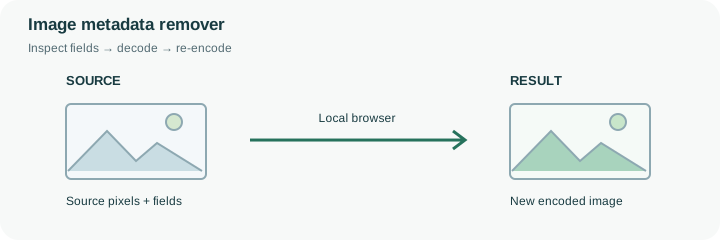
The tool creates a fresh image from its rendered pixels. It does not copy the original file as a container while merely changing an EXIF field. Keep a master copy if original camera information or color behavior matters.
Inspect the filename and what the image shows as well as metadata. Technical fields are only one possible source of identifying information.
A photograph may contain an author name, camera information, GPS coordinates or a description in its file container. This tool reads supported metadata for inspection and creates an export from decoded pixels instead of deliberately transferring the source fields. That approach can remove useful camera records as well as sensitive information, so keep the original somewhere private when provenance matters.
Consider a sample image with a synthetic Artist field. The useful check is whether that field appears in the exported copy, not whether the download has a different extension. The benchmark records the fields actually checked on the supplied fixture. A real image can use different metadata families, and a browser encoder can write new technical fields. Inspect the output when a specific field must be absent. Also review the filename and the picture itself: a street sign, badge, window reflection or handwritten address remains visible. This operation neither blurs faces nor redacts text. It should be one part of a considered sharing decision.
Supported metadata fields are read locally for inspection. Removal is performed by decoding the image to visible pixels and encoding a new image without deliberately copying the original metadata container. This is broader than deleting one GPS tag and can also remove useful authorship or capture information. It is narrower than anonymizing a photograph because recognizable content remains in the pixels. An encoder can write new technical metadata, and unrecognized fields may require independent inspection. The benchmark identifies synthetic fields that were checked on a specific output; it is not a universal certification that every possible identifying attribute has been removed.
Common questions
No. A label, signature, face, or address visible in the picture remains visible. This is not a redaction tool.
No. The image itself, its filename, surrounding message, or sharing service can identify its source.
The picture is decoded and encoded again. Color handling, transparency, and lossy output can change the result.
Yes. Supported fields are inspected in this browser and the new image is encoded here. Private file contents are not uploaded to a metadata-removal service.
No. It does not alter a watermark, label or identifying detail drawn in the pixels. Re-encoding may remove source container fields, but there is no blanket guarantee about every metadata or provenance scheme.