After Effects draws a shape instead of masking footage
Check the selected layer and where the path was created before changing fills, redrawing footage, or adjusting export transparency.
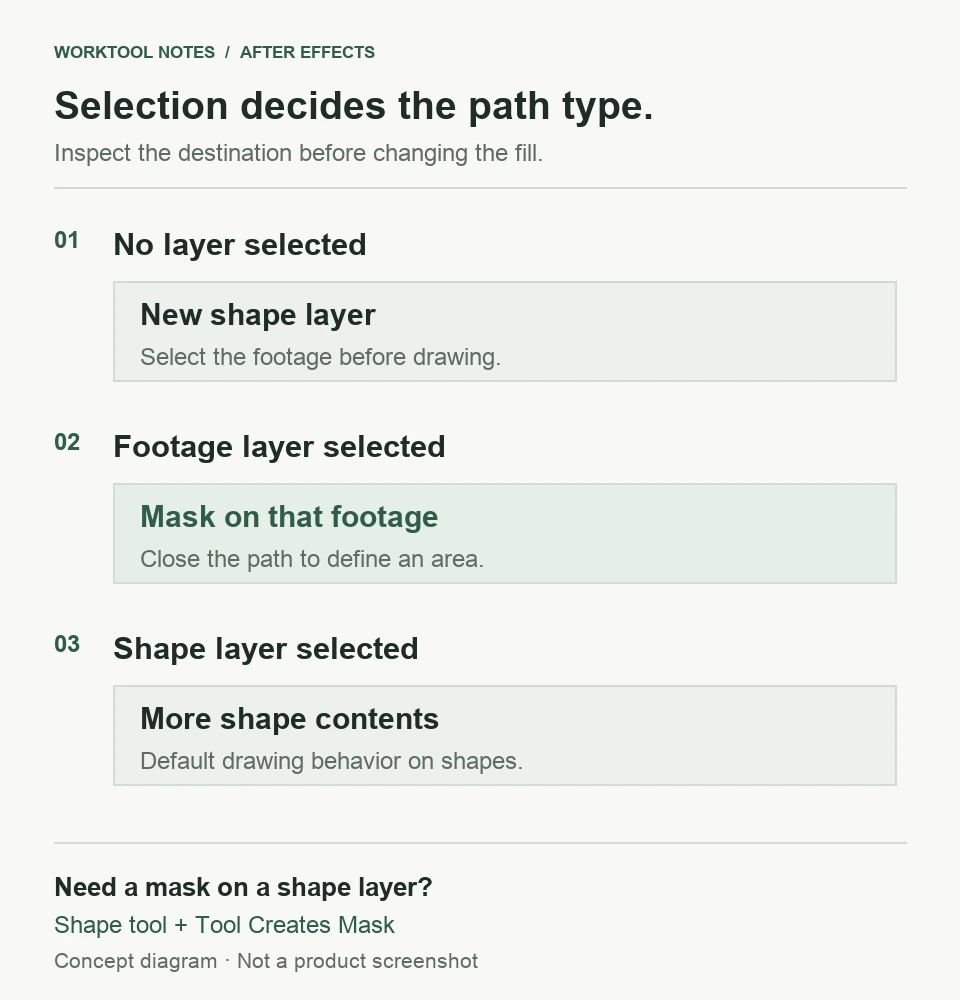
When the Pen tool makes a filled shape instead of cutting out footage, select the intended footage layer in the Timeline before drawing in the Composition panel. With no layer selected, After Effects creates a shape layer. Selecting an existing shape layer also produces shape contents by default; that case needs a different tool mode.
In this guide
Released After Effects desktop on Windows or macOS, drawing masks on video/still-image footage or a native shape layer. Roto Brush, mask tracking, effect-specific paths, and alpha-export setup are separate workflows.
Before changing the composite
Save a project copy before changing a finished composite. Preserve any useful path you already drew instead of deleting layers to start over.
Identify what was actually created
Expand the relevant layer in the Timeline and look at where the path lives. A new shape layer or a path inside Contents is different from a path under the intended layer's Masks group. A colored outline alone does not establish which one you have.
| What the Timeline shows | What to change first |
|---|---|
| A new shape layer above the footage | Select the footage layer before drawing again |
| Another shape inside an existing shape layer | Decide whether you need a mask on that shape layer |
| A mask already under the intended footage | Inspect path closure and mask mode, not layer selection |
Adobe's shape-creation reference distinguishes these selection states. Making a shape's fill transparent would hide the fill, but would not turn that shape into a footage mask.
Draw a closed mask on the intended image
For a video or still-image layer:
- Select that layer in the Timeline. Confirm its name before switching tools.
- Activate the Pen tool and draw in the Composition panel around the area you want to keep.
- Close the path by clicking its first vertex when the small circle appears beside the pointer.
- Expand the layer and confirm that the new path belongs to its Masks group.
If you only need a rectangle, selecting the footage and dragging with the Rectangle tool is a simpler comparison. Adobe's mask-creation guide documents both tools. A new mask on the wrong footage layer would still leave the intended clip unchanged.
If the layer you want to mask is itself a shape
Select the shape layer, activate a shape tool such as Rectangle, and enable Tool Creates Mask in the Tools panel before dragging. Without that mode, drawing normally adds more shape contents.
For example, a rectangle intended to crop a decorative star can instead become another visible rectangle in the same shape layer. Switching the tool mode changes what is created; changing the rectangle's color does not fix its role. Adobe documents Tool Creates Mask in both references above.
A real mask can still leave the picture unchanged
An open path can drive an effect, but cannot create transparent areas by itself. Close a crop path before judging the result. If the closed mask exists but the image still shows through, read the mode beside that mask's name in the Timeline.
None leaves the layer's alpha unchanged. Add is the default for new masks; other masks on the same layer can influence the combined result. Inspect the intended mask and its stack instead of resetting every mode. Adobe explains these rules in its alpha and mask reference.
If the mask works in the composition but the delivered file has an opaque background, follow the separate alpha-export checks. That is an output issue rather than a Pen-tool selection issue.
For an unresolved drawing problem, use Adobe After Effects Help with the app version, selected layer type, and whether the path appears under Contents or Masks. A sanitized project showing those states is more useful than an isolated outline.
Sources
Based on official documentation; not independently tested. Sources checked Oct 5, 2026. How we review guides
Something out of date? Let us know.